

Businesses and tech leaders make big choices when picking power and energy systems. They must decide between standard equipment and custom-made solutions. This choice affects project timelines, performance, and budget.
The first step is a diagnostic check. Experts call this a “fit/gap” analysis. It shows if a standard unit will do or if a custom design is needed.
Working with a dedicated team makes this easier. These specialists team up with your project staff. They check your needs, offer “good, better, best” options, and give clear prices. This helps plan your budget better.
This guide answers common questions about lead times, retrofits, warranties, and support. Knowing these details helps move from a reactive to a proactive procurement strategy. For more on managing timelines, check out our guide on navigating transformer lead times.
Typical Lead Times and What Speeds Them Up
Understanding the long lead times for custom power equipment is key. For parts like custom dry type transformers, it can take over 50 weeks. This long wait time is a big problem for upgrades, new buildings, and maintenance plans.
Global material shortages and high demand are the main causes of these delays. Important materials like grain-oriented electrical steel and high-grade copper are hard to find. Also, factories can’t keep up with all the orders, making projects take longer.
Planning ahead is now a must, not just a nice-to-have. Facilities that start early with clear plans have better control over time and money. Even with good planning, having a backup plan for important parts is smart. The best way to move forward is to use specific ways to speed things up.
Providing all the technical details and drawings at the start is the first big step. Without complete plans, there are many requests for clarification, which can add weeks or months. With everything clear, engineers can start planning for making the parts right away.
This clear start helps avoid costly changes later. It makes sure the right materials are used from the start. A clear plan means no surprises and a solid timeline for the whole project.
The Role of FAT & SAT Protocols
Factory Acceptance Testing (FAT) and Site Acceptance Testing (SAT) are critical for quality. They add time to the project but make sure everything works right before and after installation. FAT checks if the equipment works as it should before it leaves the factory.
SAT makes sure the equipment works well in its final place. These steps help avoid expensive problems after installation. Spending time on these tests saves a lot of time and money later.
| Project Phase | Standard Custom Build Timeline | Accelerated Retrofit Timeline |
|---|---|---|
| Specification & Design | 8-12 Weeks | 2-4 Weeks |
| Procurement & Manufacturing | 40-50+ Weeks | N/A (Leverages In-Stock Unit) |
| Modification & Final Testing | 4-6 Weeks | 3-5 Weeks |
The biggest time savings comes from using in-stock transformers for retrofitting. This way, you skip the long wait for new parts. Instead, you modify an existing unit to fit your needs.
This method can cut delivery time from over a year to just weeks. The focus is on changing the outside parts to fit your setup. It’s the single most effective method for urgent projects or unexpected failures.
By using complete data, strategic testing, and focusing on retrofitting, you can change how you plan projects. This approach helps you manage schedules better and keep things running smoothly in today’s market.
Retrofit/upgrade paths: controls, safety, capacity; downtime planning
Facilities looking to improve their equipment without waiting for new builds have a great option. Retrofitting modernizes operations and extends equipment life. It’s a smart choice for current infrastructure.
Retrofitting changes external connections and systems. But, it keeps the core transformer parts the same. This way, it brings new functions with easy installation.
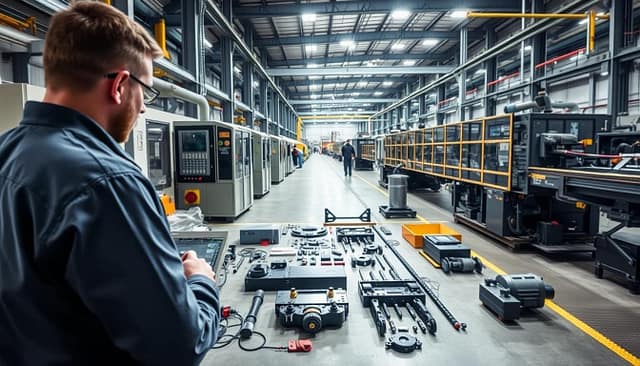
Upgrade projects focus on three main areas. Each meets a different need. Seeing them side by side shows their benefits.
| Upgrade Path | Primary Scope | Key Benefits | Typical Components |
|---|---|---|---|
| Controls Modernization | Monitoring, automation, and user interface | Improved efficiency, data logging, remote diagnostics | PLC upgrades, HMI panels, communication modules |
| Safety Enhancement | Compliance with updated codes and risk mitigation | Reduced liability, safer operator environment, meeting NFPA/OSHA standards | Arc flash mitigation, updated disconnect switches, enhanced grounding |
| Capacity Increase | Supporting facility expansion or higher loads | Accommodates growth without a full unit replacement | Bus work upgrades, higher-rated breakers, cooling system modifications |
The goal is to integrate smoothly. Technicians adjust connections and bus work to fit existing gear. They ensure the retrofit doesn’t harm the transformer’s performance.
Planning is key for success. It starts with gathering detailed data. Teams need site measurements, drawings, and photos. This helps the technical team design the changes off-site.
During the work, technicians make physical changes. They adjust bus work and cable entry points. These changes make the upgrade fit perfectly with the plant’s electrical setup. Good planning makes the process simple.
Reducing downtime is the main goal. The work is done during planned maintenance. A clear plan, from shutdown to start-up, is essential. For more details, see this retrofit guide.
This approach is wise for getting the most from current investments. It avoids the long waits for new units. Retrofitting is the best way to update with proven infrastructure.
Warranty and spares coverage; what’s excluded and why
It’s key to know about warranty terms and spare parts availability for long-term plans. These details set the limits of protection for big investments in important equipment.
Most industries offer a one-year warranty for materials and workmanship. Some makers go beyond this, giving longer warranties.
For example, five-year coverage on new indoor dry type transformers is a big plus. This is much longer than the usual one year. It shows the maker’s trust in their product’s quality and durability.
| Coverage Aspect | Standard Industry Warranty | Enhanced Manufacturer Warranty |
|---|---|---|
| Coverage Period | 1 year from installation | 5 years from installation |
| Primary Coverage | Materials and workmanship defects | Materials, workmanship, and design |
| Typical Exclusions | Installation errors, environmental damage | Same exclusions with clearer definitions |
| Performance Record | Varies by manufacturer | Zero failures for dry type transformers |
The zero-failure record for dry type transformers shows top-notch quality control. It’s thanks to consistent designs, materials, and making processes.
Warranty exclusions help keep performance high and set clear limits. They include:
- Damage from wrong installation
- Losses from natural disasters or other events
- Failures from not doing regular maintenance
- Running outside of what’s allowed by the environment
- Changes made without the maker’s okay
These rules protect both the makers and users. They make sure the equipment works as it should.
Spare parts coverage often goes beyond the warranty. Makers keep parts on hand for important parts to help with long-term use.
How soon parts are available can change based on how important they are and how often they’re made. Planning for spare parts should match the life of the equipment.
Knowing what’s not covered helps companies plan better. It helps with budgeting for maintenance and planning for operations.
Support channels: phone, remote diagnostics, site call—response SLAs
Service Level Agreements (SLAs) for phone, remote, and on-site support set clear goals for tech managers. They ensure quick responses to keep operations running smoothly from the start.
Dedicated phone lines offer quick help. For urgent issues, the first response is often within 15 minutes. This line connects you directly to experts for initial troubleshooting.
Remote support lets experts diagnose issues without visiting. They use secure connections to access your system. SLAs for remote support aim to start a session within one hour of your request.
For hands-on fixes, field service techs are sent out. SLAs set time frames for their arrival, based on the issue’s urgency and location. Services like ELSCO offer 24/7 part replacements for emergencies. You can track the repair in real-time.
This multi-channel approach ensures fast and effective fixes. It covers everything from setup to ongoing support. This way, your investment in custom solutions is protected.
| Support Channel | Primary Function | Typical Initial Response SLA | Best For |
|---|---|---|---|
| Phone Support | Immediate triage & first-level guidance | 15 minutes (critical) | Operator errors, alarm clarification, quick checks |
| Remote Diagnostics | System analysis & software troubleshooting | 1 hour (session start) | Data review, control parameter adjustments, minor programming |
| Field Service Call | Physical inspection, repair, & part replacement | 4-24 hours (on-site arrival) | Mechanical failures, sensor calibration, major hardware issues |
SLAs for each channel ensure accountability and clear paths to solutions. This helps plant managers plan for downtime and keep production on track.
Training packages and operator certification
Structured training programs turn complex machinery into a valuable asset. This knowledge transfer is key to any successful industrial solution. It makes sure the system pays off over its whole life.
Effective programs are made for different groups. Our team works with your project staff to create these packages. This ensures the training fits your specific needs and goals.
Operator certification shows someone can use equipment safely and well. It means they know and follow the right steps. This is often needed to keep the warranty valid. It helps protect your investment by avoiding mistakes.

Training is not just extra; it’s essential for a complete solution. It builds your team’s skills and makes them self-sufficient. A trained team can fix small problems fast, saving you money.
| Training Package | Target Audience | Primary Objectives | Typical Duration |
|---|---|---|---|
| Operator Core Training | Machine Operators | Safe daily operation, basic troubleshooting, shutdown procedures | 8-16 hours |
| Maintenance Technician | Maintenance Staff | Preventative maintenance schedules, corrective actions, parts identification | 24-40 hours |
| Engineering & Management Overview | Facility Managers, Engineers | System capabilities, performance metrics, capacity planning | 4-8 hours |
These programs are part of our workflow from concept to commissioning. We support you even after the project is done. This ensures a smooth start and quick readiness.
Investing in good training helps your team. It keeps systems running, follows safety rules, and makes equipment last longer. Your operation becomes stronger and more productive.
Contact Checklist for Urgent Issues (What Info to Send)
When an urgent issue pops up, having the right info ready is key. This checklist helps support teams get the details they need fast. Quick data helps fix problems quickly and cuts downtime.
Start by giving the equipment model and serial numbers. This tells the exact setup and history of the system.
Be clear about the fault symptoms. Mention any alarm codes from the control panel. Also, note when the problem started and any events before it.
Send digital photos or a short video of the issue. Clear pictures of parts like high-voltage cables or low-voltage buses help a lot. ELSCO techs often use these to plan before visiting.
Talk about site access. Mention any entry rules, safety clearances, or key contacts at the site.
Include important contact details. Give names, phone numbers, and email addresses of site decision-makers. This makes communication smooth once support arrives.
Being ready with this checklist speeds up the support process. It shows a commitment to leading in the industry and keeping operations running smoothly.


